
Looping preview · motionprompts.dev
The build prompt
From motionprompts.dev36,996 chars
# 3D CRT Display

## Goal
Build a full-screen hero where a **3D CRT monitor** (an external `.glb` model) floats center-stage, its screen driven by a **custom GLSL shader** that fakes a real cathode-ray tube: scanlines, an RGB aperture-grille mask, a vignette, warm phosphor tint and chromatic aberration. A row of clickable project pills sits at the bottom. **Hovering a pill swaps the on-screen texture and fires a GSAP-driven glitch burst** — horizontal line-tearing, RGB split and static noise that spike to full and **decay to zero over 0.75s**. The whole monitor lazily **parallax-rotates toward the mouse** via a per-frame lerp. The star effect is the shader-based CRT + the glitch-on-swap.

## Tech
Vanilla HTML/CSS/JS with ES module imports. Use `gsap` (npm) and `three` (npm). No GSAP plugins are needed — GSAP is used for the glitch burst, for the two power-on tweens, and for `gsap.utils.interpolate()`. Three.js supplies the WebGL scene and the GLTF loader. Plain Vite-style imports:
```js
import gsap from "gsap";
import * as THREE from "three";
import { GLTFLoader } from "three/examples/jsm/loaders/GLTFLoader.js";
```
Put the two shader source strings in a sibling module `shaders.js` and import them: `import { vertexShader, fragmentShader } from "./shaders.js";`

## Layout / HTML
Minimal DOM — the visual is a WebGL canvas that JS appends into the hero.
```html
<section class="hero">
  <ul class="projects">
    <li data-img="/path/project-img-1.jpg">District</li>
    <li data-img="/path/project-img-2.jpg">Waypoint</li>
    <li data-img="/path/project-img-3.jpg">Corridor</li>
    <li data-img="/path/project-img-4.jpg">Archive</li>
    <li data-img="/path/project-img-5.jpg">Terminal</li>
  </ul>
</section>
<script type="module" src="./script.js"></script>
```
- `.hero` is the WebGL container (the renderer's `<canvas>` is appended here).
- `.projects` is a horizontal list of five pills. Each `<li>` carries a `data-img` attribute pointing at the texture to display when hovered. Labels are neutral demo words (District, Waypoint, Corridor, Archive, Terminal) — invent your own if you like.

## Styling
Font import: `@import url("https://fonts.googleapis.com/css2?family=Geist+Mono:[email protected]&display=swap");`

Global reset: `* { margin:0; padding:0; box-sizing:border-box; }`

- `.hero`: `position:relative; width:100%; height:100svh; background-color:#b0b0b0; overflow:hidden;` — a flat mid-grey backdrop, canvas fills it.
- `.projects`: `position:absolute; left:50%; bottom:4rem; transform:translateX(-50%); width:100%; display:flex; justify-content:center; gap:0.5rem; list-style:none; z-index:2;`
- `.projects li`: the pill look — `text-transform:uppercase; font-family:"Geist Mono", Arial, sans-serif; font-size:0.7rem; font-weight:450; color:#000; width:max-content; padding:0.5rem 1rem; background-color:#fff; border:1px solid #000; box-shadow:4px 4px 0px -1px rgba(0,0,0,1); cursor:pointer;` — white chip, 1px black border, hard offset drop shadow (neo-brutalist sticker).
- `.projects li:hover`: `color:#fff; background-color:#000;` (invert to black on hover).
- Responsive: `@media (max-width:1000px) { .projects { flex-wrap:wrap; padding:0 4rem; } }`

## Three.js scene setup (the stage the shader lives on)
All inside `DOMContentLoaded`.

**Scene / camera / renderer:**
- `scene = new THREE.Scene();`
- `camera = new THREE.PerspectiveCamera(30, innerWidth/innerHeight, 0.1, 1000);` then `camera.position.set(0, 0.15, 1);` and `camera.lookAt(0,0,0);`
- `renderer = new THREE.WebGLRenderer({ antialias:true, alpha:true });` `renderer.setSize(innerWidth, innerHeight);` `renderer.setPixelRatio(Math.min(devicePixelRatio, 2));` `renderer.toneMapping = THREE.ACESFilmicToneMapping;` `renderer.toneMappingExposure = 1.25;` then `hero.appendChild(renderer.domElement);`
- After the animate loop starts, override zoom for small screens: `camera.position.z = Math.max(1, 768/innerWidth);` (pushes the camera back on narrow viewports so the monitor still fits).

**Lights** (bright, so the ACES tone-map has range to compress):
- `new THREE.AmbientLight(0xffffff, 5)`
- `const dirLight = new THREE.DirectionalLight(0xffffff, 2.5); dirLight.position.set(15, 10, -5);`
- `const topLight = new THREE.PointLight(0xffffff, 5, 10); topLight.position.set(-5, -2.5, 0); topLight.decay = 0.3;`

**Monitor model:**
- `const monitorGroup = new THREE.Group(); scene.add(monitorGroup);`
- Recenter the model on load: compute its bounding-box center with `new THREE.Box3().setFromObject(model).getCenter(...)`, subtract it from `model.position`, then `monitorGroup.add(model);`.
- **Do not reach for `new GLTFLoader().load(url, …)`.** See *Loading order* below — the loader is the wrong place to start this download.

**Loading order (the part that decides whether this hero feels fast):**

The cabinet is the heaviest thing on the page by an order of magnitude, and `GLTFLoader` lives behind the whole three.js module graph. Written the obvious way, the browser fetches and evaluates several hundred KB of JavaScript *before it even learns the model's URL* — the two big downloads run back to back instead of together. Start the fetch from an inline `<script>` in the `<head>`, where the preload scanner reaches it first, and hand the buffer to the loader:

```html
<script>
  window.__crtModel = fetch("/path/monitor.glb").then((r) =>
    r.ok ? r.arrayBuffer() : Promise.reject(new Error(String(r.status))),
  );
  window.__crtModel.catch(() => {});   // script.js attaches the real handler later
</script>
```
```js
const modelData = window.__crtModel instanceof Promise
  ? window.__crtModel
  : fetch(MODEL_URL).then((r) => r.arrayBuffer());

modelData
  .then((buffer) => new Promise((resolve, reject) => {
    new GLTFLoader().parse(buffer, "", resolve, reject);
  }))
  .then((gltf) => { /* recenter, monitorGroup.add(model) */ powerOn(); })
  .catch(powerOn);   // no cabinet is not a reason to hide the broadcast
```

**Trap:** `<link rel="preload" as="fetch">` looks like the tidy way to do this and it does not work. Preload-as-fetch is always CORS mode, three's `FileLoader` issues a plain same-origin `XMLHttpRequest`, the two entries never match, and the model is downloaded **twice**. The inline `fetch` is the only version with exactly one request. The same rule bites the standby image in the other direction: `THREE.ImageLoader` requests images with `crossOrigin="anonymous"`, so *its* preload link **must** carry `crossorigin` or that file is fetched twice too.

```html
<link rel="preload" as="image" href="/path/default.jpg" crossorigin fetchpriority="high" />
```

**Be precise about what waits and what does not.** Build the scene, the lights, the screen plane and the render loop synchronously — none of that touches the network. The room and the HUD are HTML and CSS, so they are on screen immediately. **The tube, though, is held back on purpose:** keep the canvas at `opacity: 0` until the cabinet is in the scene, because a screen glowing in the middle of an empty room does not read as "still loading", it reads as broken.

That trade only holds while the wait is short. At 300 ms it is obviously right; at 20 s on a bad connection it is indefensible, and the hero is just an empty room. So cap it — light the tube alone past a floor, and let the cabinet settle in around it when it lands:

```js
renderer.domElement.style.opacity = "0";
monitorGroup.scale.setScalar(0.94);

let powered = false;
let powerTimer = setTimeout(powerOn, 2500);   // the floor

function powerOn() {
  if (powered) return;
  powered = true;
  clearTimeout(powerTimer);
  renderer.compile(scene, camera);          // see below
  gsap.to(renderer.domElement, { opacity: 1, duration: 0.5, ease: "power2.out" });
  gsap.to(monitorGroup.scale, { x: 1, y: 1, z: 1, duration: 1.1, ease: "power3.out" });
}

// …and in the model's `.then`, after monitorGroup.add(model):
if (powered) settleIn();   // the floor beat us here
else powerOn();
warmChannels();            // here, NOT inside powerOn() — see below
```

Warming belongs to the *model's* arrival, not to the reveal. Put it inside `powerOn()` and the slow path fires it at the 2.5 s floor with the `.glb` still in flight, so five stills start taking bandwidth from the one download the page is actually waiting on — the exact contention the queue exists to prevent.

`settleIn()` is a short `gsap.fromTo(monitorGroup.scale, {0.98}, {1})` so the late cabinet does not hard-pop into a tube that is already lit. Give it `overwrite: true`: the power-on scale tween may still be running, and two tweens on the same three properties fight rather than blend.

`renderer.compile(scene, camera)` before the fade is not ceremony: the cabinet's PBR program is built the first time it is drawn, and on a machine without a GPU that first frame is a visible stall. Paying it behind `opacity: 0` moves the stall out of the reveal — and it has to be called again inside `settleIn()`, because the compile that ran at the floor saw a scene with no cabinet in it. Under `prefers-reduced-motion: reduce`, set the opacity and scale outright and skip every tween.

**Screen plane geometry** — a rounded-rectangle plane with custom UVs so the shader can sample edge-to-edge. Write a helper `createScreenGeometry(w, h, r)`:
- Build a `THREE.Shape()` as a rounded rect of width `w`, height `h`, corner radius `r`, centered on origin (use `moveTo`/`lineTo`/`quadraticCurveTo` for the four rounded corners).
- `const geometry = new THREE.ShapeGeometry(shape);`
- **Recompute UVs manually**: for each position, `u = (x - xMin)/w`, `v = (y - yMin)/h`, and set them as a new `uv` BufferAttribute (`ShapeGeometry`'s default UVs are in world units, not 0–1 — this normalization is required for the shader).
- Call it as `createScreenGeometry(1, 1, 0.03)`.

**Screen mesh + material:**
```js
const displayMaterial = new THREE.ShaderMaterial({
  uniforms: {
    map:            { value: defaultTexture },
    imageAspect:    { value: 1 },
    planeAspect:    { value: 0.28 / 0.235 },   // ≈ 1.191
    iResolution:    { value: new THREE.Vector2(512, 512) },
    glitchIntensity:{ value: 0.0 },
    time:           { value: 0.0 },
  },
  vertexShader,
  fragmentShader,
});
const displayPlane = new THREE.Mesh(createScreenGeometry(1, 1, 0.03), displayMaterial);
displayPlane.scale.set(0.28, 0.235, 1);
displayPlane.position.set(-0.008, 0.005, 0.041);   // nudge it into the bezel opening
displayPlane.rotation.set(-0.18, 0, 0);            // slight backward tilt to match the CRT face
monitorGroup.add(displayPlane);
```

**Texture loader** — a cache keyed by src, where every entry carries its own readiness *and its own aspect ratio*:
```js
const channels = new Map();

function channel(src) {
  const cached = channels.get(src);
  if (cached) return cached;

  const entry = { texture: null, aspect: 1, ready: null };
  entry.ready = new Promise((resolve) => {
    textureLoader.load(
      src,
      (texture) => {
        texture.colorSpace = THREE.SRGBColorSpace;
        texture.minFilter = THREE.LinearFilter;
        texture.magFilter = THREE.LinearFilter;
        entry.texture = texture;
        entry.aspect = texture.image.width / texture.image.height;
        resolve(entry);
      },
      undefined,
      () => resolve(entry),      // 404: `texture` stays null, caller keeps the current picture
    );
  });

  channels.set(src, entry);
  return entry;
}
```
Three things in that shape are load-bearing:
- **`aspect` lives on the entry, not on the uniform.** Writing `uniforms.imageAspect` from inside the load callback — the obvious version — sets the cover-crop from whichever *file finished last*, not from the one on screen. Sweep the pills faster than the network and the displayed still gets cropped to a neighbour's proportions.
- **`ready` always resolves, never rejects.** A missing file leaves `texture: null` and the caller simply keeps what is already lit, which beats swapping the picture for a black hole.
- **The error callback is the only load event you get.** `texture.addEventListener("load", …)` is a plausible-looking dead end: `THREE.Texture` extends `EventDispatcher` but only ever dispatches `dispose`, so that listener never fires.

**Seed the uniform with a 1×1 dark-blue `DataTexture`, not with the pending default.** A `THREE.Texture` with no `image` makes the renderer warn and bind an all-black sampler, so the first frames are a black rectangle with scanlines on it. One pixel of tube colour reads as a set that is warm but has not locked a signal — which is exactly what is happening.
```js
const standbyTexture = new THREE.DataTexture(new Uint8Array([13, 17, 38, 255]), 1, 1);
standbyTexture.colorSpace = THREE.SRGBColorSpace;
standbyTexture.needsUpdate = true;
```
Then paint `default.jpg` over it the moment it decodes, as long as the cursor has not already tuned elsewhere.

## Shaders (`shaders.js`)

**Vertex shader** — passthrough that forwards UVs:
```glsl
varying vec2 vUv;
void main() {
  vUv = uv;
  gl_Position = projectionMatrix * modelViewMatrix * vec4(position, 1.0);
}
```

**Fragment shader** — this is the CRT + glitch. Uniforms: `sampler2D map; float imageAspect, planeAspect, glitchIntensity, time; vec2 iResolution; varying vec2 vUv;`

Helpers:
```glsl
float hash(float n) { return fract(sin(n) * 43758.5453123); }
// cover-fit: rescale uv so the image fills the plane without stretching (like CSS object-fit: cover)
vec2 coverUV(vec2 uv) {
  if (planeAspect > imageAspect) {
    float s = imageAspect / planeAspect;
    uv.y = uv.y * s + (1.0 - s) * 0.5;
  } else {
    float s = planeAspect / imageAspect;
    uv.x = uv.x * s + (1.0 - s) * 0.5;
  }
  return uv;
}
```
Main, in order (let `gi = glitchIntensity`, `uv = vUv`):
1. **Horizontal line-tear (glitch):** `uv.x += (hash(floor(uv.y*20.0 + time*80.0) + time*7.0) - 0.5) * 2.0 * gi * 0.15;` — per-scanline random x-shift, animated fast, scaled by glitch.
2. **Vertical jitter (glitch):** `uv.y += (hash(floor(time*50.0)) - 0.5) * gi * 0.06;`
3. **Chromatic aberration / RGB split:** `float rs = 0.001 + gi*0.025;` (always a hair of split, more during glitch). Sample each channel from a different offset of `coverUV`, and add a 0.05 lift:
   - `col.r = texture2D(map, coverUV(vec2(uv.x + rs, uv.y + rs))).r + 0.05;`
   - `col.g = texture2D(map, coverUV(vec2(uv.x, uv.y - rs*2.0))).g + 0.05;`
   - `col.b = texture2D(map, coverUV(vec2(uv.x - rs*2.0, uv.y))).b + 0.05;`
4. **Ghost smear** — add faint fixed-offset re-samples per channel: `col.r += 0.08 * texture2D(map, coverUV(vec2(uv.x + 0.026, uv.y - 0.026))).r;` `col.g += 0.05 * texture2D(map, coverUV(vec2(uv.x - 0.022, uv.y - 0.022))).g;` `col.b += 0.08 * texture2D(map, coverUV(vec2(uv.x - 0.022, uv.y - 0.018))).b;`
5. **Soft contrast curve:** `col = clamp(col*0.93 + 0.07*col*col, 0.0, 1.0);`
6. **Vignette (barrel-corner darkening):** `col *= vec3(pow(16.0*uv.x*uv.y*(1.0-uv.x)*(1.0-uv.y), 0.12));`
7. **Phosphor tint + boost:** `col *= vec3(0.95, 1.05, 0.95) * 2.5;` (greenish CRT cast, 2.5× gain that the tone-map reins back in).
8. **Horizontal scanlines:** `col *= vec3(0.6 + 0.4*pow(clamp(0.35 + 0.35*sin(uv.y*iResolution.y*1.5), 0.0, 1.0), 1.2));`
9. **Vertical RGB aperture-grille mask:** `col *= 1.0 - 0.65*vec3(clamp((mod(vUv.x*iResolution.x, 2.0) - 1.0)*2.0, 0.0, 1.0));` (darkens every other column → the pixel-grid shimmer).
10. **Static noise (glitch):** `col += vec3(hash(uv.x*100.0 + uv.y*1000.0 + time*300.0) * gi * 0.3);`
11. `gl_FragColor = vec4(col, 1.0);`

Steps 1, 2, 10 and the `gi` term in `rs` are the only parts gated by `glitchIntensity`; steps 5–9 are the always-on CRT look.

## GSAP effect (the important part — be exact)

### 1) Continuous render loop with mouse-parallax lerp
A `requestAnimationFrame` loop drives both the shader clock and the monitor's lazy rotation. Use a `THREE.Timer` for elapsed time and `gsap.utils.interpolate` for the smoothing:
```js
const mouse = { x: 0, y: 0 };
const lerpedMouse = { x: 0, y: 0 };
const timer = new THREE.Timer();

function animate() {
  requestAnimationFrame(animate);
  timer.update();
  displayMaterial.uniforms.time.value = timer.getElapsed();

  // ease the tracked mouse toward the target by 5% each frame
  lerpedMouse.x = gsap.utils.interpolate(lerpedMouse.x, mouse.x, 0.05);
  lerpedMouse.y = gsap.utils.interpolate(lerpedMouse.y, mouse.y, 0.05);
  monitorGroup.rotation.x = lerpedMouse.y * 0.15;
  monitorGroup.rotation.y = lerpedMouse.x * 0.3;

  renderer.render(scene, camera);
}
animate();
```
- **Lerp factor `0.05`** → heavy inertia; the monitor drifts toward the cursor over ~1s, never snaps.
- Mouse mapping (in the `mousemove` listener): `mouse.x = (e.clientX/innerWidth - 0.5) * 10;` and `mouse.y = (e.clientY/innerHeight - 0.5) * 5;` — so raw range is ±5 (x) / ±2.5 (y).
- Applied rotation range: `rotation.y` ≈ ±1.5 rad max theoretically but clamped by real cursor travel; the `*0.3` (yaw) and `*0.15` (pitch) multipliers keep it a gentle tilt, yaw twice as strong as pitch.

### 2) Glitch burst on texture swap (the GSAP tween)
This is the one tween that carries the effect. When the displayed image changes, spike a plain-object `glitchState.intensity` to 1 and animate it back to 0, piping the value into the `glitchIntensity` uniform every frame:
```js
const glitchState = { intensity: 0 };
let glitchAnimation = null;

function glitchBurst() {
  if (glitchAnimation) glitchAnimation.kill();   // restart cleanly if hovering fast
  glitchState.intensity = 1.0;                    // spike to full immediately
  glitchAnimation = gsap.to(glitchState, {
    intensity: 0,
    duration: 0.75,
    ease: "power3.out",
    onUpdate() {
      displayMaterial.uniforms.glitchIntensity.value = glitchState.intensity;
    },
  });
}
```
- Target: `glitchState.intensity` **1 → 0**.
- `duration: 0.75`, `ease: "power3.out"` → violent at the instant of swap, then a fast tail-off, most of the tear/noise gone in the first ~0.3s.
- No delay, no stagger, no timeline — a fresh tween per swap. `glitchAnimation.kill()` before re-spiking prevents overlapping tweens when the user sweeps across pills quickly.

**Decouple the burst from the swap.** Pointing `uniforms.map` at the new texture the instant the cursor arrives — decoded or not — blanks the tube for the whole download, so the first pass across the pills is five black rectangles. Fire the burst immediately (the set reacts to the knob at once) and swap the picture only once it exists:
```js
let currentSrc = DEFAULT_IMG;

function paint(entry) {
  displayMaterial.uniforms.map.value = entry.texture;
  displayMaterial.uniforms.imageAspect.value = entry.aspect;
}

function tuneTo(src) {
  currentSrc = src;
  const entry = channel(src);
  glitchBurst();

  if (entry.texture) { paint(entry); return; }   // already warm: one burst, instant picture

  entry.ready.then(() => {
    if (currentSrc !== src || !entry.texture) return;   // cursor moved on, or the file 404'd
    paint(entry);
    glitchBurst();                                       // second burst = the signal locking in
  });
}
```
The `currentSrc !== src` guard is what stops a slow channel from stamping itself over the picture two seconds after the cursor left it. The second burst is deliberate: a cold channel tunes in with two bursts and reads as a set hunting for a signal; a warm one gets exactly one.

**Warm the channels after the cabinet is up, one at a time:**
```js
function warmChannels() {
  const queue = sources.slice();
  const idle = (fn) => (window.requestIdleCallback
    ? requestIdleCallback(fn, { timeout: 600 })
    : setTimeout(fn, 80));

  const next = () => {
    const src = queue.shift();
    if (!src) return;
    channel(src).ready.then((entry) => {
      if (entry.texture) renderer.initTexture(entry.texture);   // pay the GPU upload now
      idle(next);
    });
  };
  idle(next);
}
```
Sequential, not `Promise.all`: five full-size stills fired at once race the `.glb` for bandwidth on exactly the connections that can least afford it, and not one of them is needed for the first frame. `renderer.initTexture` moves the GPU upload off the hover, so by the time a pill is hovered there is nothing left to do but change a pointer.

### 3) Triggers (hover)
```js
document.querySelectorAll(".projects li").forEach((li) => {
  li.addEventListener("mouseenter", () => {
    const img = li.getAttribute("data-img");
    if (img) tuneTo(img);
  });
});
document.querySelector(".projects").addEventListener("mouseleave", () => {
  tuneTo(DEFAULT_IMG);   // revert to the idle screen when the cursor leaves the whole list
});
```
- **`mouseenter` on each pill** → swap to that pill's `data-img` + glitch burst.
- **`click` on each pill, bound to the same handler** → this is what makes the "tap a channel" hint true on touch. `mouseenter` alone appears to work there only because mobile browsers synthesise one on tap, which is not a contract worth betting a component's only interaction on. On desktop both fire for the same channel, and the `src === currentSrc && entry.texture` guard at the top of `tuneTo` absorbs the second.
- **`mouseleave` on the `.projects` UL** (not the individual li) → swap back to the default idle texture + glitch burst.

### Resize handler
```js
window.addEventListener("resize", () => {
  camera.aspect = innerWidth / innerHeight;
  camera.updateProjectionMatrix();
  renderer.setSize(innerWidth, innerHeight);
});
```

## Assets / images
- **1 GLB model** — a stylized 3D **CRT/tube television or vintage computer monitor** with a chunky bezel and a recessed screen opening. Any low-poly retro monitor model works; the code recenters it automatically. The screen plane is positioned/tilted (`rotation.x = -0.18`) to sit inside the bezel face, so pick a model whose screen faces roughly +Z. **Budget it at ~2 MB**, and audit whatever you export before you ship it — the file that came out of the modelling tool here was 6.5 MB, and none of the excess was the shape:
  - **3.6 MB was a single 2048² PNG normal map.** The monitor occupies roughly 500 px on screen. Re-encoded to 1024² JPEG it is 137 KB and indistinguishable, embossed logo and all. Same for the emissive map: 74 KB → 42 KB.
  - **~700 KB was three unused UV sets.** The exporter wrote `TEXCOORD_0` through `TEXCOORD_3`; the single material samples `texCoord: 0`. The other three are pure freight.
  - **~295 KB was `UINT32` indices** on primitives that top out at 9 650 vertices. `UINT16` addresses 65 536.
  - Total after those three passes: **6.5 MB → 1.9 MB, with the vertex data byte-for-byte identical.** Quantizing positions and normals (`KHR_mesh_quantization`) or running the file through meshopt would take it lower still, but both need a decoder in the loader and a texture-transform for the UVs; the three passes above need nothing, so do them first and stop if 1.9 MB is enough.
- **6 screen texture files**, all **landscape 1200×857 px (~7:5, ≈1.40:1)**, ~80–120 KB each. They're cover-fit onto a 0.28×0.235 plane, so exact aspect isn't critical — the shader crops. Do not downscale them below ~1200 px: the plane covers about 46 % of viewport height, so on a 2× display the screen is already drawing ~1 175 device pixels wide and the cover-crop only uses 85 % of the source width. Quality is where you save instead — the scanline and aperture-mask passes shred fine detail, so these survive JPEG q74 with no visible cost.
  - **1 idle/default texture** (`default.jpg`) — a flat, fully saturated **electric-blue** field filling the frame, with a white **two-line pixel/bitmap-font wordmark** centered on it (placeholder text). Shown on load and whenever the cursor leaves the pill row. Use a neutral wordmark, no real brand.
  - **5 project textures** (`project-img-1..5.jpg`), one per pill in list order — a cohesive set of moody, **cinematic cyberpunk / retro-futuristic night scenes** all dominated by **violet–purple haze and magenta/pink neon with warm amber–orange accents, fog and wet reflective ground**:
    - *img-1* — a rainy neon downtown street at night: a boxy retro sedan with lit headlights heading toward the camera, crowds on the sidewalks, glowing storefront signage, dense purple haze.
    - *img-2* — a foggy plaza where two helmeted figures flank a tall **glowing orange-red circuit-etched monolith**; dark high-rises and a lit neon-ringed transit pod behind, heavy violet mist and light-streaked wet road.
    - *img-3* — a tree-lined boulevard seen through overhanging branches, **pink/purple neon** throughout: rounded futuristic cars with glowing ring headlights on wet cobblestones, rows of glowing lamp-posts, a neon-crowned tower catching a pink sky in the distance.
    - *img-4* — a lone silhouetted figure facing a large **glowing orange/pink neon shop window** full of chrome machinery, set against a deep-purple foggy cyberpunk cityscape with wet pavement.
    - *img-5* — a second rainy neon street scene, wider and differently framed than *img-1*: a boxy retro sedan lower-left with headlights on, an overhead traffic signal, a brightly lit **magenta-fronted storefront** at right, pedestrians crossing, thick violet fog. (Similar mood and subject to *img-1* but a distinct image.)
  - Each texture is just the on-screen picture; described generically by subject and color, no brands. The five project scenes share one palette so any swap glitch keeps the CRT looking cohesive.

## Behavior notes
- **Desktop-first, but not desktop-only.** The parallax is driven by `mousemove` *and* `touchmove` (a finger drag tilts the monitor exactly as a cursor does), and the pills answer to `click` as well as `mouseenter`. Nothing autoplays besides the always-running shader clock, which animates scanline shimmer subtly via `time`.
- The shader `time` uniform runs continuously, so the CRT has a faint living shimmer even at rest; the *glitch* only appears on swap.
- On narrow viewports the camera is pushed back (`camera.position.z = Math.max(1, 768/innerWidth)`) and the pill row wraps (`flex-wrap` at ≤1000px).
- `pixelRatio` is capped at 2 for performance. Under `prefers-reduced-motion: reduce` the power-on fade and scale are applied outright instead of tweened; the parallax lerp and the glitch burst stay, since both are cursor-driven rather than ambient.
- **The room and the HUD owe nothing to the network; the tube owes exactly one thing.** Gradient, wordmark, on-air lamp and channel pills are up before any asset lands. The tube waits for its cabinet — deliberately, and never longer than the 2.5 s floor — then the five channels warm behind it. If this hero feels slow, the cause is almost always the `.glb`: check its size before you touch the code.

## Images

This component ships with 7 reference assets, served publicly.
Use them as-is to reproduce the demo faithfully, then swap in your own — the layout expects the
same aspect ratios.

```
https://motionprompts.dev/c/3d-crt-display/default.jpg
https://motionprompts.dev/c/3d-crt-display/monitor.glb
https://motionprompts.dev/c/3d-crt-display/project-img-1.jpg
https://motionprompts.dev/c/3d-crt-display/project-img-2.jpg
https://motionprompts.dev/c/3d-crt-display/project-img-3.jpg
https://motionprompts.dev/c/3d-crt-display/project-img-4.jpg
… 1 more under https://motionprompts.dev/c/3d-crt-display/
```

They are hotlinkable for prototyping. For anything you ship, replace them: they are licensed for
demonstration of this component, not for redistribution.

## Using this outside its demo page

This component is written as a complete page — that is how the demo is meant to look. If you are dropping it into an existing project, or combining it with other components, these are the things it declares at document level and that you need to move or reconcile first.

- **Rules on `body`** — the demo owns the whole document, so these set the page background, typography and resets. Dropped into an existing project they restyle the entire page, not just this section. Re-target them at the component's wrapper before using it.

## Adapting this to React

Everything above describes a standalone document: one script that waits on `DOMContentLoaded`, appends a `WebGLRenderer` into `.hero` by hand, fires off a `GLTFLoader` load plus a handful of `TextureLoader` loads, and drives the whole scene with a home-grown `requestAnimationFrame` loop — and none of it expects to run twice. React withdraws that guarantee, and the fault line here runs straight through the parts that talk to the GPU and the network at once: the renderer/scene/camera construction, the `monitor.glb` load, the default-texture load, the `animate` loop that advances both the shader clock and the mouse-parallax lerp every frame, and the single `gsap.to` tween that drives the glitch burst.

Under React 19 with StrictMode, every effect mounts, unmounts, and mounts again before anything reaches the screen. Setup that runs twice with teardown that runs never leaves you two renderers appending two canvases into the same `.hero`, two `animate` loops each calling `renderer.render` against their own scene, and two sets of `mousemove`/`touchmove`/`resize` listeners on `window` fighting over the same mouse-tracking object. The visible symptom is a doubled or flickering monitor and a page that gets slower every time this route remounts, and it will not reproduce in a production build, because only development does the double mount. Treat the cleanup as part of the effect, not as an afterthought.

*(1) The entry point* — The script waits for `DOMContentLoaded`. By the time a React component mounts, that event has already fired, so the listener is never called and nothing inside it ever runs — no renderer, no monitor, no shader clock, nothing to debug. Delete the listener and move its entire body — scene/camera/renderer construction, both loaders, the `animate` loop, every `addEventListener` call — into a `useEffect` with an empty dependency array.

*(2) Element lookups* — `document.querySelector(".hero")` and the pill selectors (`document.querySelectorAll(".projects li")`, `document.querySelector(".projects")`) all assume this script owns the whole document. Give the component a root ref on the element playing `.hero`'s role, append `renderer.domElement` into `ref.current` directly, and read the pills off that ref's own `querySelectorAll(".projects li")` instead of the bare selector. During the StrictMode remount two `.hero` elements exist for an instant, and an unscoped lookup can bind the renderer's canvas — or a hover listener — to the copy that is on its way out.

*(3) Cleanup — the loaders, the rAF loop, the listeners, and the glitch tween* — Give the effect a `cancelled` flag and check it inside both the `GLTFLoader` callback and the `TextureLoader` callback that loads `default.jpg`: either one can resolve after a StrictMode unmount, and each writes into an object — `monitorGroup`, `displayMaterial.uniforms` — that the disposed scene no longer renders. Keep the id `animate`'s first `requestAnimationFrame` call returns and call `cancelAnimationFrame` on it in the cleanup, or the loop survives the unmount and keeps calling `renderer.render` against a context nobody can see. The `mousemove` and `touchmove` listeners are bound to `window`, not to `.hero`, so name them as variables and remove those same references in the cleanup — an inline arrow passed straight to `addEventListener` can't be un-registered later. The pill listeners are attached in a `forEach`, one `mouseenter` handler per `<li>` plus one `mouseleave` on the list itself; either collect them as an array of element/handler pairs to detach in the cleanup, or attach a single delegated listener on the root ref instead of one per pill. The glitch tween needs its own line in this list: the `gsap.to` call lives inside `setDisplayImage`, which runs from a hover handler well after the effect's synchronous body has already returned, so wrapping only the initial setup in a `gsap.context` scoped to the root ref will not make its revert aware of a tween created later. Route that tween through the context — call `ctx.add()` around the `gsap.to` call inside `setDisplayImage` — or keep the existing mutable variable that already tracks the in-flight animation and call its own `.kill()` directly in the cleanup, the same way `setDisplayImage` already kills the previous burst before starting a new one. Skip both and an in-flight glitch burst from whichever pill the user last hovered keeps calling its update callback against a `displayMaterial` the unmount is about to dispose. Finally, dispose the model's geometries and materials, the screen plane's geometry and its `ShaderMaterial`, every cached texture in `textureCache`, then call `renderer.dispose()` and `renderer.forceContextLoss()` before removing the canvas — skipping `forceContextLoss()` is the failure that stays invisible until a user has revisited this route enough times in one session to exhaust the browser's WebGL context budget.

*(4) Rendering this in `@react-three/fiber`* — this catalogue targets three 0.185, `@react-three/fiber` 9, drei 10.7 and React 19. `<Canvas>`, given a camera matching the field of view and starting position set on the hand-built `PerspectiveCamera` and a `gl` config carrying over `antialias`, `alpha`, the ACES tone mapping and its exposure, replaces the `WebGLRenderer`/`Scene`/`PerspectiveCamera` block outright. The three lights carry over unchanged as `<ambientLight>`, `<directionalLight>` and `<pointLight>`, each keeping its own position, intensity, and — for the point light — its shallow decay. `new GLTFLoader().load("/monitor.glb", …)` becomes `useGLTF("/monitor.glb")` inside a component wrapped in `<Suspense>`; run the bounding-box recenter (`Box3().setFromObject(model).getCenter(...)`) once against the loaded scene via `useMemo`, rather than inside a load callback that may or may not still be relevant by the time it fires. The rounded-rect screen geometry and its manual UV rewrite are pure three.js math and port unchanged into a `useMemo`-computed `BufferGeometry` handed to `<mesh geometry={...}>`; the `ShaderMaterial` becomes a `<shaderMaterial>` JSX element holding the same vertex/fragment shader strings and the same uniform shape. The `animate` loop splits in two: the shader clock and the mouse-parallax lerp move into a `useFrame` callback that reads the tracked mouse position off a ref (still fed by the same `mousemove`/`touchmove` listeners on `window`, now registered in a plain `useEffect` outside the `Canvas`) and writes the eased position and the monitor group's rotation directly onto refs — do not start a `requestAnimationFrame` loop of your own inside the `Canvas`, since `useFrame` already runs once per rendered frame and a second loop would drive the same uniforms at a competing rate. Resize handling is already done: `<Canvas>` observes its container, so the manual `resize` listener and the `renderer.setSize` call both go away — though the narrow-viewport zoom override that pushes the camera back on small screens still needs somewhere to live; derive it from `useThree`'s reported container width instead of the global `innerWidth` if this component ever stops owning the full viewport. For the six textures, prefer preloading all of them together with drei's `useTexture` — the default plus the five project images, as an array or a keyed object — over replicating the manual `textureCache`: drei already caches by URL, and preloading means a hover never triggers a fresh Suspense fetch mid-interaction. Keep the glitch tween exactly as designed: `gsap.to` mutating a plain object whose update callback writes straight onto the material ref's `glitchIntensity` uniform is the right shape here, not a React state value that would re-render the component on every tick of a burst that only lasts a fraction of a second.

A static poster is not optional for this one: the `.glb` plus its lighting is exactly the kind of load that leaves an empty frame for the first few seconds on a cold visit, and unlike the shader-only slugs in this catalogue there is no cheap all-or-nothing swap to hide behind. Render a poster image of the assembled monitor, show it in the same box the `<Canvas>` occupies, and swap it out once the `Suspense` boundary around `useGLTF` and the default texture has resolved and the first frame has actually painted — not the instant the component mounts.

Skip drei's `Environment` with a preset here too, even though this scene is lit rather than unlit: it already gets its light from three explicit sources — the ambient wash, the directional key, and the point light with its shallow falloff — and none of that depends on an environment map. `Environment preset` fetches its HDRI from a third-party CDN hard-coded into drei, and the moment that host is unreachable this monitor renders unlit instead of just missing a reflection. If a later variant wants image-based lighting on the bezel, self-host an HDRI and point `Environment` at your own file instead.More like this
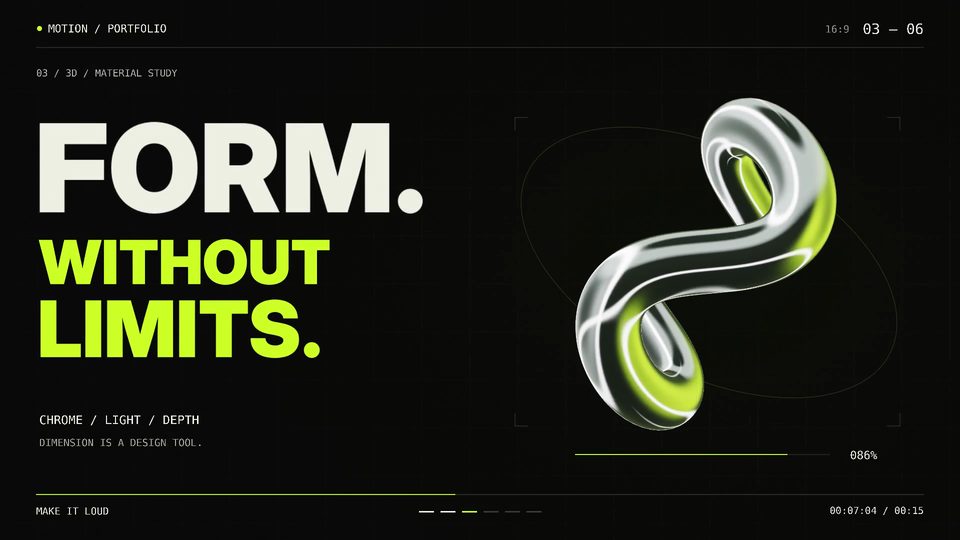 00:32
00:32Showreel with Blender 3D and self-made soundtrack
Three.jsOpus 5.5
1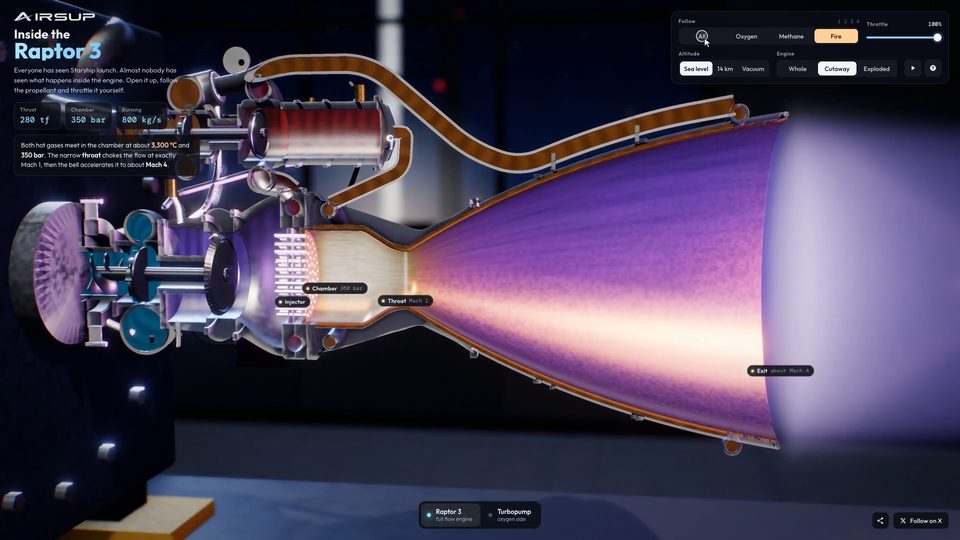 00:35
00:35Interactive 3D Raptor 3 Rocket Engine WebGL Model
Three.jsOpus 5.5
1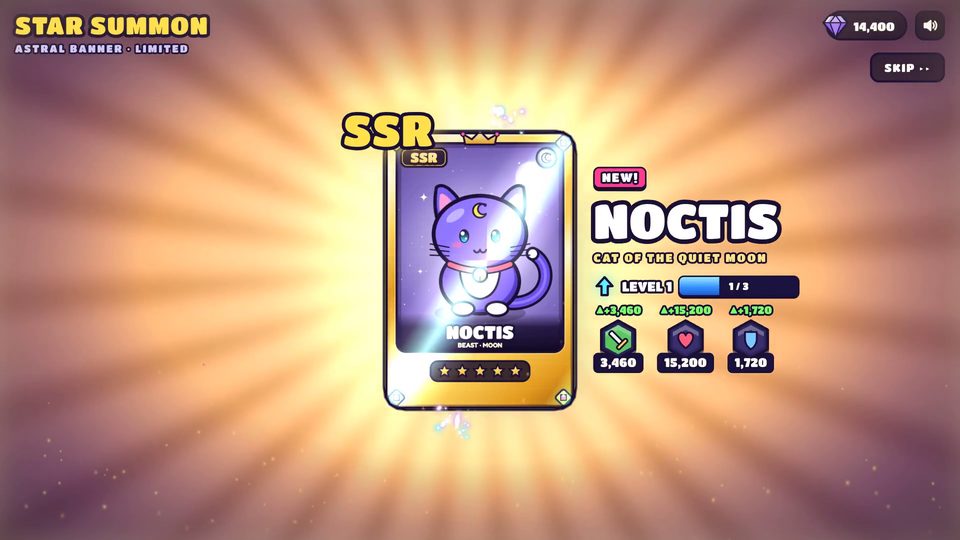 00:18
00:18Mobile game reward animation template
Three.jsOpus 5.5
1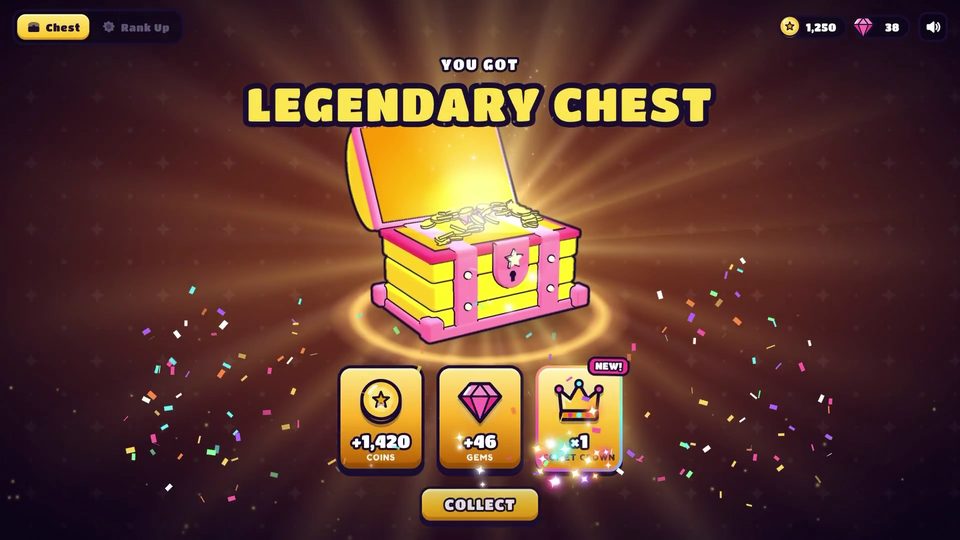 00:15
00:15Mobile Game Reward Reveal Animation
Three.jsOpus 5.5
1 00:08
00:081906 San Francisco Market Street in Blender
Three.jsOpus 5.5
1 01:20
01:20Glass and gold mosaic that comes alive
Three.jsOpus 5.5
1